Building a Self-Improving Local AI Agent with Hermes and NVIDIA RTX
What You Need
- Hardware: An NVIDIA RTX GPU (e.g., RTX 4090, RTX 6000 Ada) with at least 20 GB VRAM for the Qwen 3.6 35B model, or an NVIDIA DGX Spark system. A modern multi-core CPU and 32 GB+ system RAM are recommended.
- Software: The Hermes agent framework from Nous Research (available on GitHub), Python 3.10+, Git, and a model loader compatible with Hugging Face Transformers or llama.cpp.
- AI Model: A Qwen 3.6 model (27B or 35B parameters) – open-weight and licensed for local use.
- Optional Integrations: Messaging app API keys (e.g., Discord, Slack) and local file access permissions for agent functionality.
How to Build Your Self-Improving Agent
Step 1: Verify Your Hardware Setup
Hermes and Qwen 3.6 require a GPU with sufficient VRAM. The 35B model uses roughly 20 GB of memory, while the 27B model is lighter. NVIDIA RTX GPUs and DGX Spark are optimized for this workload, offering accelerated inference and 24/7 local operation. Check your GPU’s VRAM with nvidia-smi in your terminal. If you plan to run multiple tasks or use background agents, a high-end RTX card is ideal.
Step 2: Install the Hermes Agent Framework
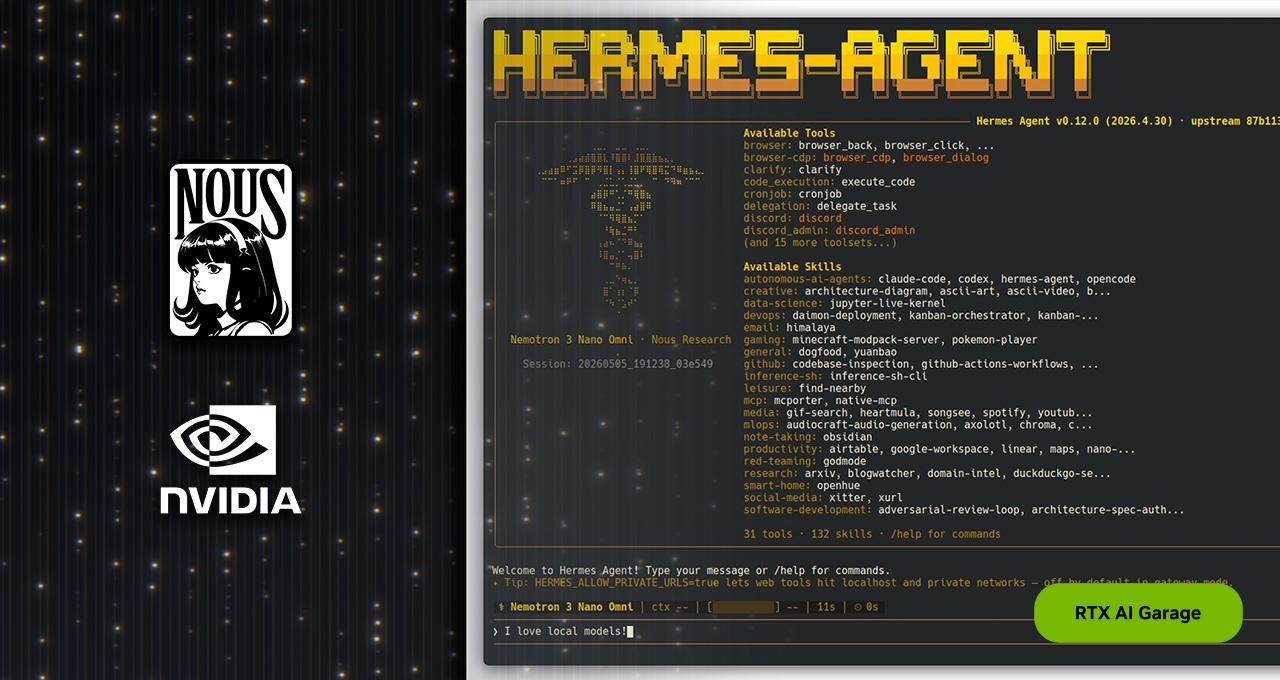
Clone the official Hermes repository from Nous Research’s GitHub page. Use the command:
git clone https://github.com/NousResearch/hermes-agent.git
cd hermes-agent
pip install -r requirements.txt
Hermes is provider- and model-agnostic, but for local use we will load a Hugging Face model directly. Follow the repository’s setup guide to configure environment variables and default paths.
Step 3: Download and Prepare the Qwen 3.6 Model
Obtain the Qwen 3.6 model weights from the Hugging Face model hub (e.g., Qwen/Qwen3.6-35B-Instruct). Use the Hugging Face CLI or a Python script to download:
huggingface-cli download Qwen/Qwen3.6-35B-Instruct --local-dir ./models/qwen3.6-35b
For the 27B model, use Qwen/Qwen3.6-27B-Instruct. Both models fit the local-first design of Hermes, providing data-center-level intelligence on your RTX hardware.
Step 4: Configure Hermes for Local Always-On Operation
Edit the Hermes configuration file (usually config.yaml) to point to the downloaded model path. Set the model type to "local" and specify model_path: ./models/qwen3.6-35b. Enable the background_mode: true to allow the agent to run as a persistent service. Additionally, integrate messaging apps if desired by adding API keys under integrations. Hermes supports Discord, Slack, and more.
Test the setup with a simple prompt: python run_agent.py --message "Hello, what can you do?"
Step 5: Activate Self-Evolving Skills
Hermes distinguishes itself by writing and refining its own skills. Enable this in the config under skills.self_learn: true. When Hermes encounters a complex task or receives corrective feedback, it saves the reasoning as a reusable skill. To get started, give the agent a multi-step task like organizing files or answering questions from a database. Check the skills/ folder to see new skills being saved automatically. This capability lets the agent adapt over time without manual reprogramming.

Step 6: Optimize with Sub-Agents and Small Context Windows
Hermes uses contained sub-agents for sub-tasks, keeping context windows small and memory usage efficient. Configure sub_agent.max_tokens: 2048 and sub_agent.max_tools: 5 in the config. This reduces VRAM pressure and improves response times. For demanding tasks, spawn multiple sub-agents by increasing the parallel_workers setting. Monitor performance with NVIDIA’s tools like nvtop or nvidia-smi dmon. To maintain reliability, regularly review and stress-test custom skills – Nous Research ships only curated skills, but you can add your own after testing.
Tips for a Smooth Experience
- Start with the 27B model for faster iterations; it matches the accuracy of older 400B models while using less memory.
- Use sub-agents for complex tasks – they act as isolated workers with focused contexts, preventing confusion and memory bloat.
- Provide clear feedback regularly – Hermes improves with each piece of feedback, so treat it as a learning collaborator.
- Keep your skills curated – remove or update skills that no longer work well; reliability comes from tested tools.
- Leverage NVIDIA acceleration – use TensorRT or llama.cpp with CUDA to maximize inference speed on RTX hardware.
- Update the Hermes framework periodically – the community is active and adds new integrations and performance improvements.
By following these steps, you’ll have a self-improving local AI agent that runs reliably on your NVIDIA RTX PC or DGX Spark, capable of learning from each interaction and delivering better results over time.
Related Articles
- Top 5 Swift Updates You Need to Know in April 2026
- Building Persistent AI Agents with OpenClaw: A Deployment Guide
- How to Contribute to the Newly Open-Sourced Warp Terminal Using AI Agents
- Decoding USB-C Cables: Your Mac's Hidden Cable Detective
- Your Step-by-Step Guide to Attending OpenClaw: After Hours at GitHub
- Fedora Project Launches 2026 Contributor Recognition Program: Deadline May 15
- How GitHub Uses Continuous AI to Make Accessibility Feedback Actionable
- Rust Project Secures 13 Google Summer of Code 2026 Projects Amid Record 96 Proposals