Building an Interactive Conference Assistant with .NET’s Composable AI Stack: Questions and Answers
What is ConferencePulse and what does it do?
ConferencePulse is a Blazor Server application designed for live conference sessions. Attendees join by scanning a QR code, allowing them to participate in real-time polls and ask questions during the session. The app leverages artificial intelligence to generate polls based on the session content, provide instant answers to audience questions using a retrieval-augmented generation (RAG) pipeline, automatically surface insights from engagement data, and produce a comprehensive summary when the session ends. It automates the preparation process by connecting to a GitHub repository, downloading markdown files, processing them through a data ingestion pipeline, and building a searchable knowledge base. This ensures that polls, talking points, and Q&A answers are all grounded in the actual session material. The app runs on .NET 10, Blazor Server, and Aspire, and is built using a set of composable building blocks from Microsoft's AI stack.
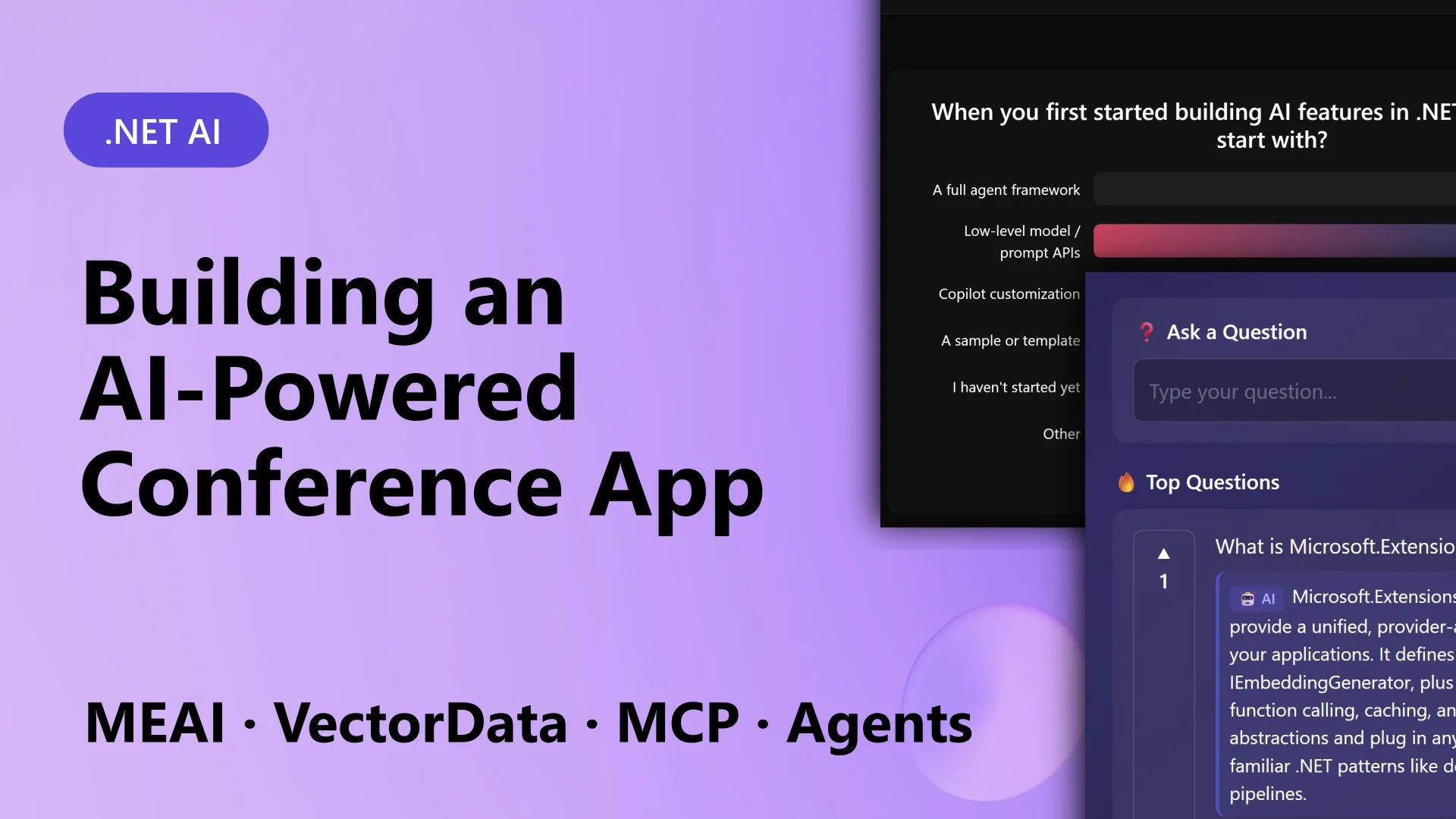
What building blocks make up the composable AI stack used in ConferencePulse?
The ConferencePulse app is built on five core components from Microsoft's composable AI stack: Microsoft.Extensions.AI, Microsoft.Extensions.DataIngestion, Microsoft.Extensions.VectorData, Model Context Protocol (MCP), and Microsoft Agent Framework. Microsoft.Extensions.AI provides a unified IChatClient abstraction that works across providers like OpenAI, Azure OpenAI, Ollama, and Foundry Local, allowing seamless swapping of AI models. Microsoft.Extensions.DataIngestion handles the pipeline for ingesting and processing documents (e.g., from GitHub markdown files) into chunks ready for vector search. Microsoft.Extensions.VectorData offers a consistent interface for vector databases such as Qdrant, enabling efficient similarity searches. Model Context Protocol (MCP) standardizes how tools are exposed to AI agents. Finally, the Microsoft Agent Framework orchestrates multiple AI agents that work together concurrently for tasks like generating insights and compiling session summaries. These building blocks are designed to be interoperable and extensible, reducing the friction of integrating different AI services.
How does the data ingestion pipeline work in ConferencePulse?
The data ingestion pipeline is powered by Microsoft.Extensions.DataIngestion and begins by pointing the app to a GitHub repository containing session materials (e.g., markdown files). The pipeline downloads each file, splits the text into manageable chunks, and creates embeddings using a chosen model. These embeddings are then stored in a vector database (Qdrant in this case) via Microsoft.Extensions.VectorData. The entire process is orchestrated as a series of steps that can be configured and rerun when content updates. This automated preparation eliminates manual document processing and ensures that all downstream AI features — including poll generation, Q&A, and insights — have a consistent, searchable knowledge base to reference. The pipeline is also designed to handle various document formats beyond markdown, making it adaptable to different conference materials. The end result is a rich, grounded knowledge repository that fuels real-time interactions.
How does the AI answer audience questions in real time?
Audience questions are answered using a retrieval-augmented generation (RAG) pipeline that leverages the knowledge base built during ingestion. When an attendee submits a question, the app first encodes the question into an embedding. This embedding is then used to perform a similarity search against the vector database (Qdrant) using Microsoft.Extensions.VectorData. The top relevant chunks (e.g., from session markdown, Microsoft Learn docs, GitHub wiki) are retrieved. These chunks, along with the original question, are passed to IChatClient (provided by Microsoft.Extensions.AI) to generate a concise, accurate answer grounded in the retrieved content. The entire flow is synchronous and optimized for low latency, so answers appear almost instantly during the session. The system also logs unanswered or unclear questions for later review, and the presenter can manually answer or refine the AI's response if needed.
How does ConferencePulse generate live polls?
Polls are generated dynamically by an AI agent that analyzes the current session content and audience engagement. At the start or during a session, the presenter can request a poll on a specific topic. The agent (built with the Microsoft Agent Framework) takes the session knowledge base, recent questions from the audience, and any presenter hints to craft a multiple-choice question. It uses IChatClient to generate the poll text, options, and optionally the correct answer for later review. The poll is then displayed in the Blazor Server UI, and attendees vote in real time. Results are aggregated and shown as live charts. The system can also automatically suggest polls based on patterns in audience questions or key points from the material. This interactive feature keeps the session lively and data-driven, replacing static slides with live engagement.

How does the session summary feature work using multiple AI agents?
When the presenter ends the session, ConferencePulse triggers a multi-agent workflow to generate a comprehensive summary. Using the Microsoft Agent Framework, several agents run concurrently: one analyzes poll results and voting patterns, another reviews all audience questions and AI answers, a third examines the auto-generated insights collected during the session, and a final agent evaluates the overall session flow. Each agent outputs a structured report. These reports are then merged by a coordinating agent that synthesizes the findings into a cohesive summary. The final summary includes key takeaways, top questions, poll outcomes, and recommendations for future sessions. The use of concurrent agents dramatically speeds up the process, and the modular design allows organizers to customize which agents participate or add new ones. The output can be saved to the app's database and shared with attendees via email or the app interface.
What are the benefits of using a composable AI stack for building ConferencePulse?
The composable AI stack — comprising Microsoft.Extensions.AI, Microsoft.Extensions.DataIngestion, Microsoft.Extensions.VectorData, MCP, and the Agent Framework — offers several key advantages. First, it provides stable, consistent abstractions that isolate your application from breaking changes in underlying AI or vector store providers. Swapping from OpenAI to Ollama or from Qdrant to another vector database requires minimal code changes. Second, each building block is independently extensible; you can replace or enhance individual components without affecting the rest of the system. Third, the stack is designed for interoperability, so integrating new features like additional agent workflows or custom data sources is straightforward. Finally, the unified interfaces reduce the learning curve and simplify testing. For ConferencePulse, this meant rapid development and the ability to focus on the application's unique value — live, interactive conference experiences — rather than wrestling with disparate APIs and SDKs.
How can you get started building a similar app with .NET's composable AI stack?
To start building your own AI-powered app like ConferencePulse, follow these steps: 1) Install the latest .NET 10 SDK and set up a Blazor Server project. 2) Add NuGet packages for Microsoft.Extensions.AI, Microsoft.Extensions.VectorData, and Microsoft.Extensions.DataIngestion. 3) Choose an AI provider (e.g., Azure OpenAI) and configure IChatClient with the appropriate endpoint and key. 4) Set up a vector database like Qdrant (e.g., via Docker or cloud) and configure IVectorStore. 5) Implement a data ingestion pipeline that ingests your documents (markdown, PDFs, etc.) into the vector store. 6) Use the Agent Framework to define agents for tasks like Q&A, poll generation, and summarization. 7) Orchestrate everything with .NET Aspire for service discovery and observability. You can find the full ConferencePulse sample code in the official Microsoft repositories. Start small — maybe just Q&A — then add agents and polling as you understand each building block.
Related Articles
- Unlocking Blazing-Fast Data Transfers: Apache Arrow Integration in mssql-python
- 10 Essential Insights into Python's deque for Real-Time Sliding Windows
- Crafting an Intelligent Conference Assistant with .NET's Modular AI Toolkit
- mssql-python Now Integrates Apache Arrow for Blazing-Fast SQL Server Data Transfer
- 10 Critical Fixes for RAG Hallucinations: A Self-Healing System That Works in Real Time
- 10 Reasons Pandas Remains Indispensable for Data Wrangling in 2025
- Microsoft Unveils Composable AI Stack for .NET with Real-World Conference App Demo
- How to Stop RAG Hallucinations: Real-Time Self-Healing Layer Explained